How I Actually Use AI: Rules, Memory, and Guardrails
The working principles behind how I use AI agents every day, from a second-brain vault and enforced guardrails to a self-hosted model running at home.
The short version
I use AI agents for most of my engineering work: writing and reviewing code, triaging bugs, drafting pull requests, answering support questions, and running a small assistant at home. After a lot of daily use, the most useful thing I have learned is that the model is the easy part. The work is in the system around it: what it remembers, what it is allowed to do, what it must check before it speaks, and how it talks to me.
This post is the “why” behind that system. If you want the “how” (install commands, config files, hooks), I wrote a separate step-by-step guide: The Ultimate Local AI Coding & Memory Stack.
1. The model decides, code enforces
Early on, every time an agent did something wrong I added a sentence to its instructions. “Always read the link before answering.” “Never write notes to that file.” “Translate before speaking.” The list grew, and the agent kept ignoring parts of it.
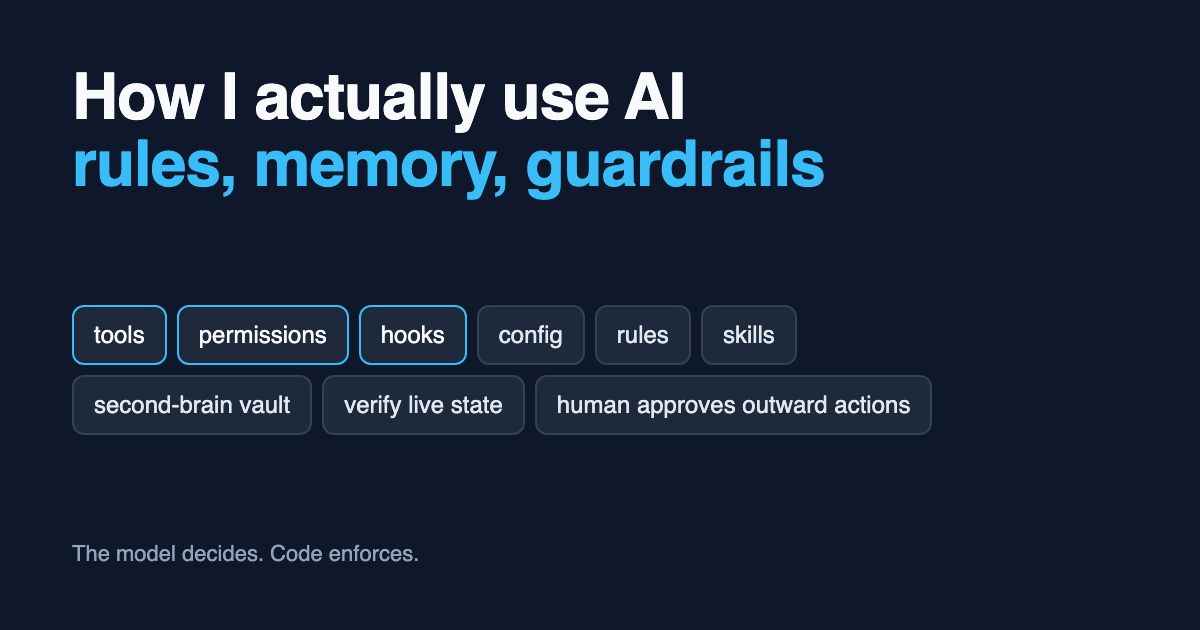
The fix was to stop treating instructions as the only lever. There are six of them, and they are not equally reliable:
| Layer | What it is | How reliable |
|---|---|---|
| Tools | Small programs the agent calls that do the actual work, with checks built in | Highest: the code enforces it |
| Permissions | Which tools run freely and which need a human tap first | High: enforced outside the model |
| Hooks / plugins | Code that runs around every model call, regardless of what the model remembers | High |
| Config | Model choice, reasoning level, tools switched off | High |
| Always-loaded rules | Short rules sent with every message | Medium: the model can drift |
| Skills | Task instructions loaded on demand (“how to do X”) | Lowest on its own: guidance, not enforcement |
Models are good at deciding what to do and unreliable at remembering exact formats, paths, and rules. So my rule of thumb is:
- Anything that must be right every time goes into a tool or hook, where code enforces it.
- Anything risky goes behind a permission, and the tool double-checks what was approved (for example, a push command that refuses if the commit differs from the one I looked at).
- Skills and rules then only need to point at the right tool, which a model follows far more reliably than a ten-step procedure.
- When a rule keeps being ignored, don’t write it louder. Move it down a layer.
A few real examples of moving a fix down a layer:
| Problem | First attempt | What actually fixed it |
|---|---|---|
| Agent answered questions about links without opening them | “Always read links” | A plugin fetches every URL before the model runs |
| Agent read PDFs as images, burning tokens | “Convert documents first” | A hook blocks the raw read and prints the right command |
| Agent crossed items out of a list instead of removing them | A skill describing removal steps | A list tool that removes by number, with destructive changes needing a tap |
| Reminders created in a format that never fired | A skill with the exact job format | A remind command builds the job; the misleading built-in tool is switched off |
Fine-tuning almost never enters the picture. For an assistant that runs tools, these six layers cover nearly everything, are cheap to change, and can be inspected and rolled back in minutes.
2. Memory lives outside the model
Every agent session starts with amnesia. I solve that with three places to put things, each with one job:
1
2
3
4
5
6
7
8
9
10
11
12
 ┌───────────────────────────┐   loaded into EVERY session
 │  Always-loaded rules      │   short standing orders, a few lines each
 └─────────────┬─────────────┘
               │ points to
 ┌─────────────▼─────────────┐   searched when relevant
 │  Second-brain vault       │   decisions, gotchas, the "why"
 │  (Obsidian, markdown)     │
 └─────────────┬─────────────┘
               │ cross-linked with
 ┌─────────────▼─────────────┐   the work queue
 │  Issue tracker            │   what is still to do, as checkboxes
 └───────────────────────────┘
The vault is written for the AI, not for me. I rarely read it directly; I ask an agent to search it. So every note follows a few rules:
- It opens with a two or three sentence “For future Claude” summary, so an agent can decide in seconds whether the note is relevant.
- It has consistent frontmatter (type, date, topic, tags, related projects, sources, confidence).
- Facts carry dates (“as of 2026-09”), so the agent knows what to re-verify.
- Claims carry a confidence level: stated, high, medium, or speculation.
- Everything is cross-linked, so one note leads to the next.
Capture happens two ways: deliberately with commands like /obsidian-log and /obsidian-save, and automatically when a long session gets compacted, a background agent harvests anything worth keeping. That background agent runs with a restricted tool list and no shell access, because it reads session summaries and I don’t want injected text running commands.
The lesson that took longest to learn: a rule that only lives in the vault gets lost, because coding sessions don’t load the vault unless they go looking. I restated “reply concisely” four times before I noticed the always-loaded copy had gone missing. Now any standing order exists as a short version in the always-loaded instructions (for both Claude and Codex) and a full version with history in the vault, and every copy names the others so they stay in sync.
Outstanding work goes on the ticket. Any TODO, follow-up, or open question from a session gets written onto the related issue, never left in the chat transcript, a commit message, or a code comment. The transcript dies with the session. The ticket holds what is left to do; the vault holds the reasoning and what was already ruled out.
3. Verify live state before acting
Most bad AI answers I see are not hallucinations from nowhere. They are confident reasoning from stale context: an old branch, a remembered column name, a guess about what a customer’s data looks like. So the agents follow a standing rule: read the real thing first.
- Read the schema before declaring a bug. Real field names live in the code, not in memory.
- Fetch and read the deployed branch, not a local copy that might be behind.
- Fetch live dates and rates; never infer them from training data.
- Read one real payload before calling an integration “done”. Mocked tests miss drift.
- When a production fact would settle the question, look it up through a read-only console wrapper before asking me to do it. Select narrowly, never print secrets or whole records, and separate production facts from inference in the answer.
The rule I care about most came from a bug that took two pull requests to fix. A customer reported missing data in a download. The agent found a real root cause in the data layer, fixed it, shipped a backfill, and the tests passed. But the export the customer actually used had no column for that data at all. The first fix was correct and changed nothing they could see.
Since then, fixing a reported bug means verifying the reporter’s artifact: name the exact screen or file they opened, reproduce the wrong output on that path, and reproduce the right output on the same path after the fix. A partial symptom often has one cause per layer, so keep looking after the first cause that explains it.
4. Spend tokens on thinking, not reading
Agents waste most of their budget reading things: whole files, raw HTML, verbose command output. I attack each source of waste separately:
| Waste | What I use instead |
|---|---|
| Reading six files to understand a flow | A code knowledge graph queried first for any “how does X work” question; plain search only for exact identifiers |
| Raw HTML pages | A compact web reader CLI that renders a page in roughly 500 tokens |
| PDFs and Office files read as images | MarkItDown converts them to Markdown first, enforced by a hook |
| Noisy shell output | A CLI output filter that summarizes git, grep, ls, and test output |
| Bloated context | A local compression proxy between the agent and the API |
One subtle rule: a stack trace gives you file and method names, which makes an investigation feel like an identifier lookup. It usually isn’t. “What code path leads to this error?” is a flow question, and the graph surfaces the callbacks, jobs, and other callers that a backtrace hides.
5. Humans approve anything outward-facing
Agents work in parallel on isolated git worktrees (I use Conductor for this), so several tasks run at once and none of them can trample the others. But anything that leaves my machine goes through me:
- Messages to shared channels are drafted first. An agent once guessed the wrong team channel and posted an update directly. Now it shows the draft, names the channel, and waits.
- Write tools need a tap. On my home assistant, reading is pre-approved and every write asks for confirmation on my phone.
- Pull requests carry their own evidence. Visual changes include real screenshots of every changed screen. Multi-service changes include a flow diagram with the new parts highlighted. Every PR gets a risk lane (red, yellow, green) in its title and labels so reviewers can triage at a glance.
- Leaving draft triggers a gate. A hook fires when a PR is marked ready for review and injects a pre-merge checklist: clean up leftover debug code, check for unwired surfaces, polish the copy, actually run it, look for regressions in existing features, and do a final adversarial review.
- Diagnosing is not permission to change. If I ask why something happens, the agent explains; it does not quietly commit a fix inside the answer.
6. Tune the voice, then leave it alone
How an agent talks matters as much as what it does, because I read hundreds of its replies a week. My standing preferences:
- Lead with the answer. No preamble, no recap of what it just did, no restating output I can already see.
- Concise is not the same as withholding. Failing tests, unverified claims, and skipped scope still get reported, just in fewer words.
- Next steps only when I have something to do. I tried a mandatory “Next steps” list on every reply; it padded everything, so it became conditional.
- No em dashes, anywhere. They are the fastest tell of machine-written prose. When this rule collided with a couple of product UI labels a support bot had to quote verbatim, the fix was to change the labels, not to add an exception to the bot. Exceptions spread into every downstream system and never get removed.
- Experiments are allowed to fail. For two weeks every reply went through an “explain like I’m five” skill. It made answers longer, not simpler, so now it is opt-in per message.
7. A model of my own
Not everything needs a frontier model. I also run a self-hosted assistant at home, which started as a Ruby Telegram bot on a Raspberry Pi and now lives on a small AI mini PC with 128 GB of shared memory.
- Models: open-weight models through Ollama. A large mixture-of-experts model (
gpt-oss:120b) is the default, a smaller one handles fast tool calls, a coding model handles code chat, and an embedding model powers memory search. - Interface: a chat app on my phone, including hands-free voice. Speech-to-text and text-to-speech both run locally.
- Jobs: reminders, lists, quick notes, reading links, and small code tasks that end in a pull request I review.
- Safety: the bot runs as an unprivileged user, is only reachable over a private VPN, keeps secrets in a password manager service account rather than in its config, and needs my tap on its phone for any write. Upgrading its own model is a one-tap request too.
The same six-layer lesson from section 1 came almost entirely from this box. A smaller model drifts more than a frontier one, so it forced me to move rules into tools much earlier, and those habits then made my coding agents better too.
What I would tell someone starting out
- Write down every correction. If you’ve told an agent the same thing twice, it belongs in a file it always loads.
- Keep that file short. Long instruction files get skimmed by models too. Put the history and reasoning somewhere searchable instead.
- Move repeat offenders down a layer. A hook beats a rule; a tool beats a skill.
- Make it check reality. Most wrong answers come from stale context, not missing intelligence.
- Keep a human on anything outward-facing. Drafts are cheap; retractions aren’t.
- Measure your token waste. Reading is where the budget goes.
None of this is finished. Notes get rewritten as facts change, rules get promoted and retired, and the tooling changes underneath it all. But the principles have held up, and they apply whichever model is on top this month.